
Many companies believe that having backups means they are protected against ransomware. The phrase often comes up in IT meetings, internal audits, or management conversations with almost automatic certainty: “We have backups,” “Backups are done every day,” “If something happens, we restore.” On paper, it seems like a sufficient response. In a real attack, however, that confidence can shatter in a matter of hours.
The problem isn’t making backups, but knowing whether those backups would withstand a ransomware attack specifically designed to destroy recovery capabilities. A backup connected to the same network, accessible with the same credentials, without restoration proofs or true isolation, can offer a false sense of security. The company believes it has an emergency exit, but discovers too late that even that exit was compromised.
Talking about backups and ransomware isn’t just about storage. It’s about business continuity, resilience, data protection, access management, and the actual ability to get back to work when core systems go down. The important question isn’t whether the company has backups. The question is whether those backups will still be useful when they’re needed most.
The big mistake: confusing backup with actual recovery
Most organizations don’t discover their backups are flawed during a controlled test, but rather in the midst of a ransomware crisis. That’s when the problems arise: incomplete backups, slow restores, broken dependencies, compromised credentials, or backup systems that have also been encrypted. At that point, the difference between having backups and actually being able to recover becomes stark.
Having backups doesn’t mean you can restore them.
A backup is only valuable if it can be restored safely, completely, and within a timeframe that serves the business. Many companies make backups regularly, but they don’t verify whether those backups are clean, whether they cover critical systems, or whether they can be recovered without reintroducing the problem. In a ransomware incident, restoration isn’t simply about reverting to a previous point. First, you need to understand what happened, which systems were compromised, which users were affected, and whether the attacker also gained access to the backup infrastructure.
Therefore, attempting to recover encrypted files without analyzing the true extent of the attack can become an additional risk. A hasty restoration might recover files, but it could also recover persistent malware, insecure configurations, or access that the attacker still controls. A backup may exist, but still not be ready for reliable recovery.
Backup is not an isolated solution
One of the most common mistakes is treating backups as a tool separate from the rest of the security strategy. Backups are part of the defense, but they don’t replace segmentation, monitoring, access control, or incident response. A company can have up-to-date backups and still suffer a serious disruption if it doesn’t know what to restore first, who authorizes the process, or which systems should be kept isolated during recovery.
Modern ransomware forces us to view backups as part of a broader strategy. It’s not just about saving data, but about protecting the ability to operate. Therefore, a serious strategy for preventing ransomware in businesses is essential. It must also consider what happens when prevention fails and recovery becomes the last line of defense.

Immediate Ransomware Help
Don’t let ransomware hold your business hostage. Our experts are ready to recover your data and secure your systems.
Why do attackers look for backups first?
Ransomware groups know that a company with working backups has a better chance of survival. That’s why one of their priorities is usually to locate, disable, or encrypt backup systems before launching a visible attack. If they manage to disable the backups, the victim loses time, negotiating power, and the ability to recover.
The attacker wants to eliminate the emergency exit
In many incidents, encrypting systems isn’t the primary objective. Before reaching that stage, attackers attempt to navigate the network, identify critical servers, review permissions, and locate backups. If they manage to compromise these backups, the attack takes on a completely different dimension: the company no longer faces just encrypted files, but a limited and far more uncertain recovery.
This makes backups a strategic objective. A copy accessible from the same network, protected with weak credentials, or managed without proper separation can be neutralized before the organization even knows it’s under attack. When that happens, the backup ceases to be a guarantee and becomes a promise that no one has tested under real-world conditions.
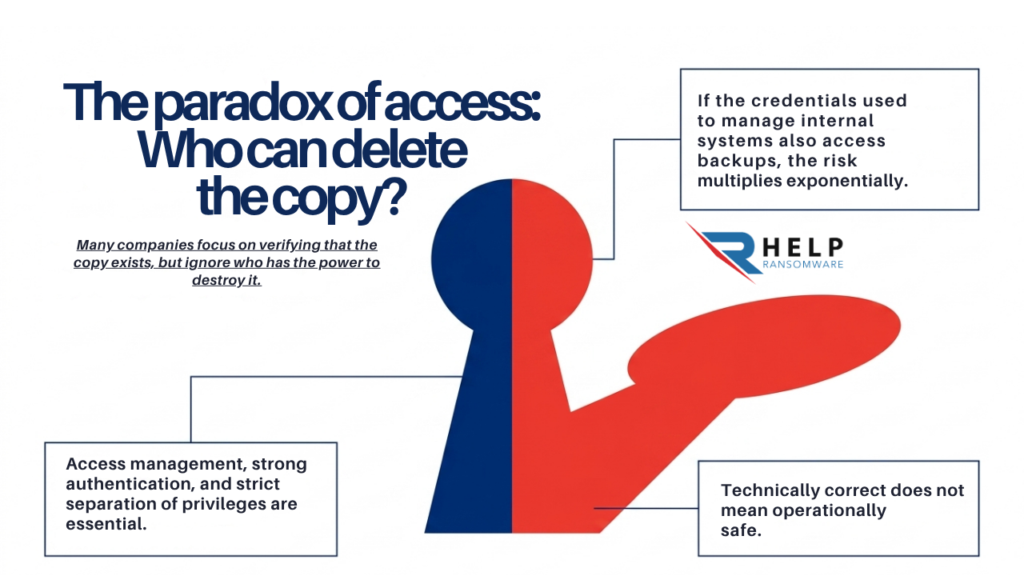
The paradox of access: who can delete the copy
Many companies focus on verifying that a backup exists, but not on analyzing who has the ability to modify, delete, or encrypt it. This detail is critical. If the same credentials used to administer internal systems also grant access to backups, the risk multiplies. A backup may technically be correct, but operationally it may not be secure.
Identity management, strong authentication, and strict separation of privileges are essential. In ransomware attacks, the question isn’t just where the backup is, but who could destroy it. A backup policy that doesn’t include access control leaves a vulnerability that attackers know all too well.
The risk of storing data without understanding its value
Backups often contain some of a company’s most sensitive assets: databases, internal documentation, financial information, contracts, customer data, and technical credentials. Therefore, when a backup is compromised, the impact is not only operational. It can also affect privacy, regulatory compliance, reputation, and relationships with customers or suppliers.
Backed-up data must also be protected
A common mistake is treating backups as a simple technical repository. But a backup can contain information as critical as, or even more sensitive than, production systems. If that information isn’t properly protected, the backup can become a source of vulnerability.
The Council of the European Union reiterates that data protection is a fundamental right in the EU and that the GDPR establishes a common framework for companies operating within European territory. This is particularly relevant in a backup strategy, because backups may also contain personal data, sensitive information, and records subject to legal obligations.
Therefore, protecting business data doesn’t end with production systems. It must also be applied to backups, restoration environments, and any platform where critical information is stored.
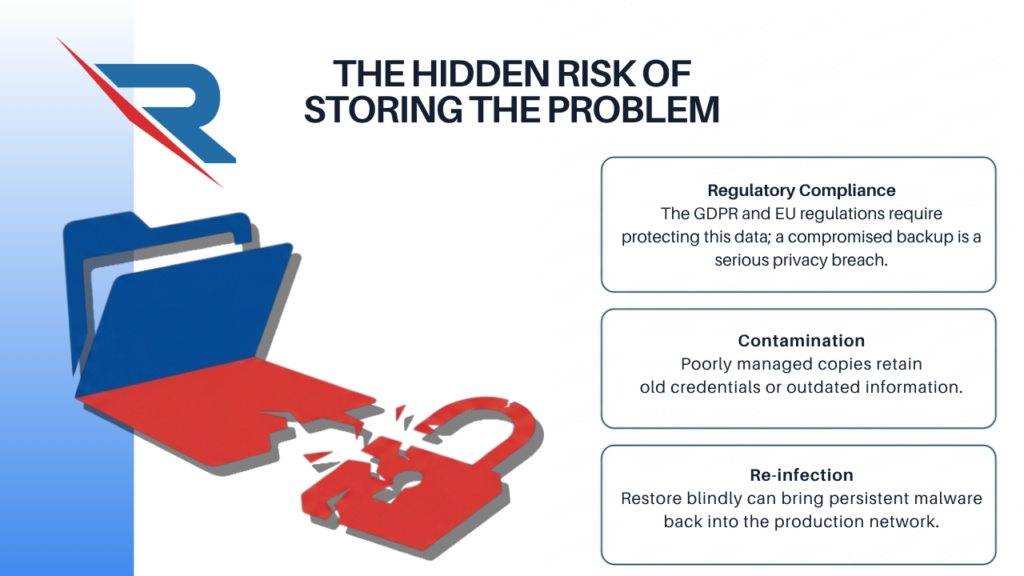
The copying may also be part of the problem
A poorly managed backup can retain outdated information, old credentials, insecure configurations, or data that should no longer be stored. This complicates recovery and can increase risk if that backup falls into the hands of attackers. In some cases, restoring without validation can return vulnerable or compromised systems to production.
Furthermore, when an organization doesn’t know exactly what its backups contain, recovery becomes slower. It’s not enough to simply restore “everything.” It’s essential to know which data is critical, which systems depend on it, and which information should be prioritized. The importance of company data varies; not all data has the same value: some is essential for operations, some is legally sensitive, and some may be critical due to its impact on reputation.
Phishing, credentials, and backups: a chain more connected than it seems
Many intrusions don’t begin with a sophisticated attack on the infrastructure. They start with an email, a fake invoice, a reused password, or a compromised account. That initial access may seem limited, but if the attacker manages to escalate privileges, the path to critical systems and backup platforms can open quickly.
A fake invoice can end up affecting backups.
Phishing campaigns remain an effective entry point because they exploit common business routines. An email that looks like an invoice, an administrative notification, or an urgent message can trick an employee into providing credentials or downloading a malicious file. The Italian National Cybersecurity Agency has issued an alert about a phishing campaign involving electronic invoices, an example of how attackers use routine processes to gain trust.
This type of attack doesn’t directly affect the backup in the first minute, but it can be the start of a much more dangerous chain of events. First, an account is compromised, then permissions are expanded, later critical systems are identified, and finally, the company’s recovery capabilities are tested. In ransomware, the visible attack is usually just the end of a longer sequence.

Expert Ransomware Removal
Our certified professionals have over 25 years of experience in ransomware removal, data recovery, and computer security.
A backup does not compensate for poor access security
No backup can compensate for poor credential management. If attackers can access administrative accounts or move laterally across the network, backups can be exposed just like the rest of the systems. Backups are not an island: they depend on the surrounding security architecture.
Therefore, a ransomware backup strategy must be integrated with identity, monitoring, and detection policies. The company should not only ask itself if it has backups, but also whether those backups are protected against the same vulnerabilities that allowed the initial access.
Critical errors that render a backup useless
The most dangerous failures aren’t always obvious. In fact, many organizations believe their strategy works because they’ve never truly tested it. The problem arises when an incident demands a stressful restoration and it’s discovered that the backup doesn’t cover the necessary areas, takes too long, or can’t be used safely.
Copies connected to the same network
One of the most serious mistakes is keeping backups accessible from the same compromised network. If an attacker can access the backup environment from infected systems, the backup ceases to be a reliable protection. The logic is simple: if everything goes down at once, there’s no real recovery.
Isolation is key. Backups must be separate, protected, and designed to withstand even if the primary network is compromised. This means not only moving data to another location but also controlling access, limiting permissions, and preventing a single compromised credential from destroying the entire recovery strategy.
Restorations never tested
An untested backup is a guess. Many companies make backups, but they don’t run full restore tests. They don’t know how long it would take to recover critical systems, whether the restored data would be complete, or whether dependencies would work correctly.
In a real-world incident, that uncertainty costs time. And with ransomware, time has a direct impact on operations, costs, and reputation. A proven restore doesn’t just validate the backup; it validates the company’s actual ability to get back up and running.
Lack of priorities
Not all systems need to be restored at the same time. Effective recovery requires knowing what is essential to resume operations and what can wait. Without this prioritization, the company may waste resources recovering secondary systems while critical processes remain at a standstill.
This point directly connects to the first 24 hours of a ransomware attack, where initial decisions determine the entire incident. If the organization doesn’t know what to recover first, the pressure increases, the margin for error decreases, and operating costs begin to rise from the outset.
What should a ransomware-ready backup strategy include?
A robust strategy goes beyond simply making backups. It must be designed with the worst-case scenario in mind: when core systems are down, internal pressure is high, and quick decisions are needed. In that situation, the difference lies not in having more stored data, but in having a reliable, organized recovery process that is aligned with the business.
Isolated, verified, and protected copies
Backups should be isolated from the main environment, protected with strong access controls, and verified regularly. It’s also advisable to maintain historical versions to avoid relying on a single backup that could be corrupted or created after the data breach.
The key is not just having backups, but having reliable backups. This means verifying that they can be restored, that they contain everything necessary, and that they don’t depend on compromised systems. A useful backup should withstand the attack, not be lost along with it.
Recovery aligned with business
A good strategy must answer specific questions: which systems are restored first, how long each area can be down, what data is essential, and who authorizes the return to production. These decisions should not be made in the middle of a crisis, but rather defined beforehand.
Here, backups are linked to business continuity. Recovery isn’t just a technical process ; it’s an operational, economic, and strategic decision. That’s why understanding the cost of ransomware for businesses helps them better prioritize which systems need to be restored first and what the impact of each hour of downtime would be.
Prevention and recovery as a single strategy
Backups don’t replace prevention ; they complement it. A prepared company works on both the ability to prevent an attack and the ability to recover if one occurs. Separating the two is a mistake, because ransomware attacks precisely where prevention and recovery are disconnected.
Therefore, reviewing backups should be part of a comprehensive ransomware defense strategy. Simply storing data is not enough ; you must ask yourself if that data would allow you to safely reconstruct the operation.
Having backups does not mean being prepared against ransomware.
At HelpRansomware we work to help you assess the real resilience of your backups, identify weaknesses and prepare a secure recovery before the attack occurs.
Conclusion
Backups are essential, but they are not a guarantee. Many companies rely on their copies without knowing if they would withstand a real attack, if they could be restored in time, or if they have been protected from the attacker.
Ransomware has changed the way we understand data recovery. Simply storing data is no longer enough. It must be protected, isolated, tested, and aligned with real business priorities.
The question is no longer whether you have backups. The question is whether your backups will still be useful when everything else has failed.
Frequently asked questions about backups and ransomware
Does having backups prevent you from paying a ransom?
Not always. A working backup can reduce the pressure, but if the data has been stolen or the backups are compromised, the crisis can continue.
Why do attackers target backups?
Because eliminating resilience increases the pressure on the victim and reduces their options during the crisis.
How often should copies be tested?
They must be tested periodically and with realistic scenarios, not just through automated checks.
Is a cloud backup enough?
It depends on how it’s configured. If it’s poorly secured or connected to the same credential system, it may also be at risk.
What is more important: prevention or recovery?
Both. Prevention reduces the likelihood of an attack, but recovery defines the impact if the attack occurs.